AI Detector & AI Check is a powerful tool designed to analyze and detect whether a piece of text is generated by AI (such as ChatGPT) or written by a human. Whether you're reviewing essays, articles, social media posts, or any other type of content, this app gives you clear and detailed insights. 🔍 Key Features: AI Probability Scoring: Instantly get a percentage score showing how likely the text is AI-generated versus human-written. Sentence-Level Analysis: The app evaluates each sentence individually, flagging those with strong AI-like patterns. Detailed Explanations: For every sentence, the app provides reasoning behind its classification—whether it’s due to unnatural phrasing, repetitive structure, lack of emotional depth, or typical AI syntax. Versatile Use Cases: Perfect for educators checking assignments, content reviewers verifying authenticity, or anyone who wants to understand the origin of a text. Whether you're combating AI plagiarism or just curious about the source of a piece of writing, AI Detector & AI Check is your go-to assistant.
Operating Systems or OS's are "environments" that your computer boots too. Like Windows, or Linux. We specialize in housing as many operating systems old and new so that you can find the right OS for any computer of any age. TIP: Linux can make antique computers useable again.

Get the CAS Developer Magazine app for Android today
Damn Small Linux 2024 File name: dsl-2024.rc5.iso WARNING: INSTALLING THIS OPERATING SYSTEM TO A REAL HARDWARE IS AT YOUR OWN RISK! VIRTUAL MACHINE RECOMMENTED! This version include (copied from dsl website): DSL 2024 currently only ships with two window managers: Fluxbox and JWM. Both are lightweight, fairly intuitive, and easy to use. DSL has four X-based web browsers: Firefox-esr (Extended Support Release, fully HTML5 compatible) NetSurf GTK (quick, easy on RAM, good HTML4 and CSS support) Dillo (super-light GUI browser) Links2 (text and light GUI browser) For office applications, DSL has: AbiWord word processor Gnumeric spreadsheets Sylpheed email client Zathura PDF viewer For multimedia applications: MPV (video and audio) XMMS (a lightweight audio player) Other applications: mtPaint (graphics editing) gFTP (FTP, SFTP, and SCP) Leafpad (quick editing) zzzFM (file manager lifted straight out of antiX) There are three GUI-based games picked because they are fun and relatively light. DSL 2024 is also loaded up with a whole bunch of handy term-based applications: Ranger file manager VisiData a powerful CSV and spreadsheet tool FZF fuzzy finder Tmux terminal multiplexer Mutt email client Cmus music player CDW CD burner Htop, an interactive process viewer SurfRaw (with wrapper) to search from the term Weather App MPV video/audio player with wrapper Vim and Nano for editing Five term-based games Two term-compatible web browsers: W3M and Links2 ...and much more Dektop: Biz-card System starter: GRUB ISO Size: 685.6Mb

At DuckDuckGo, we believe the best way to protect your personal information from hackers, scammers, and privacy-invasive companies is to stop it from being collected at all. That's why millions of people choose DuckDuckGo over Chrome and other browsers to search and browse online. Our built-in search engine is like Google but never tracks your searches. And our browsing protections, such as ad tracker blocking and cookie blocking, help stop other companies from collecting your data. Oh, and our browser is free — we make money from privacy-respecting search ads, not by exploiting your data. Take back control of your personal information with the browser designed for data protection, not data collection.
Lock Screen app in both of my TREK: styles. ✦ 3 styles/themes to choose from: ・ TOTAL INTERFACE ・ 25th CENTURY INTERFACE ・ DISCO-TREK ✦ Set Notifications on the Lock Screen: ・ Full notifications including message content ・ Notifications with hidden message content ✦ Media controls on lock screen when playing and enabled ✦ Works with Biometrics: ・ Facial ID will trigger automatically after swiping to open. ・ Fingerprint will bypass the lock screen and open directly without needing to swipe. *Be sure to lift your finger off the power button fingerprint reader between presses. ✦ Set PIN code: ・ Enable PIN code and create your 4-digit PIN ・ Turn on/off PIN in the setting to skip when you want. * Don't use this PIN if using Biometrics or it will be redundant. ✦ Setting wallpaper: ・ 143 wallpapers included (need internet connection) ・ Select your own images from gallery ✦ Other settings: ・ 12 or 24 hour time ・ Vibrate and/or Unlock sound *only when PIN is used The Total Interface spoof continues! This app's interface is meant to parody the way sci-fi designers on a cheap budget imagined future computers 30 or more years ago. Made with cones, curves, and various blocks in the basic 256 colors computers were capable of at the time. Topped with tiny text that was meaningless and buttons with completely indecipherable function or layout. Also meant to parody the way sci-fi designers keep updating old sci-fi interfaces in a way that makes them nowhere closer to actually functional-looking, but rather just add lots of little lines and make it fewer colors. I stayed true to that style, but for my artistic expression I gave everything actual meaning and function to give you a fully usable interface for all functions. This is a generic interface that uses only public domain simple curves, colors, rectangles, etc. and contains no trademarked material from any old - games, computer programs, shows or movies. I respect copyrights, so please don't ask me to update to include them in reviews or by mail. You can set your own images as wallpaper, so add it yourself for private use if you want. ↑ ★ ★ ★ ★ ★ ↑ Light up the stars :-) It helps me. Like and follow my Facebook page for the latest releases and updates. https://www.facebook.com/Not.Star.Trek.LCARS.Apps/ Also check "More by NSTEnterprises" below to see my other offerings.
Rana Codes is an elegant, mobile-friendly HTML editing app and learning studio created by VIVAFOREVER Stories. Designed for learners and creators, Rana Codes pairs a powerful in-app editor with guided tutorials, real-world exercises, and instant live previews so you can write HTML, style it with CSS, and add interactive behavior with JavaScript — then see the results immediately. Whether you’re starting with your first h1 or polishing a responsive interface, Rana Codes meets you where you are: interactive lessons teach core concepts step-by-step, hands-on challenges reinforce learning, and a sandboxed editor gives you freedom to experiment without fear. Projects are saved locally, the interface is optimized for mobile and desktop, and teacher-friendly features (progress tracking, shareable projects, and downloadable HTML) make Rana Codes ideal for classrooms and self-study alike. From building simple landing pages to prototyping interactive components, Rana Codes accelerates learning by doing — and it’s proudly powered by VIVAFOREVER Stories.
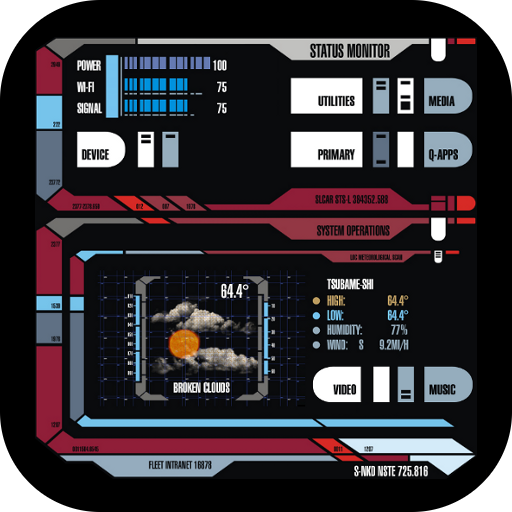
RENEGADES style home screen that can edit everything. (Total Launcher theme) This Renegades app will replace your home screen with fully functional, REAL Renegades style interface for your phone! All buttons have function, sounds, and pressed images to completely create the Renegades experience in your everyday phone use. The interface of this app was designed by Scott Nakada for the fan film Star Trek: Renegades which is now Renegades the Series on Atomic Network. It was meant to replace the old computer style for the film which is completely new, original, and innovative. It's use has also continued into Renegades the Series. This app is intended as a free reward for people who have donated to help create Renegades, and to encourage people who haven't donated yet by giving them something wonderful and of value. There are no ads, notifications, or registration. Just enjoy :-) Are you a RENEGADE? This app requires Total Launcher which you will be prompted to install. ?TUTORIAL INCLUDED and here: https://sites.google.com/view/tl-theme-faq/home ? ? ? ? ? ? ? Light up the stars :-) It helps me. This theme is really nice and completely free without ads. Like and follow my Facebook page for the latest releases and updates. https://www.facebook.com/Not.Star.Trek.LCARS.Apps/ Also check "More by NSTEnterprises" below to see my other offerings.

Instant tool to look up IPs, domains, emails, and URLs with one tap. Open trusted lookup sites instantly—no backend or sign-in. Pulls from trusted sources. You can even check to see if a website has any security threats
Star Wars Episode IV: A New Hope, in ASCII Art. Watch the movie as it is acted out in amazing ASCII graphics. For Windows, iOS, Linux, and Android
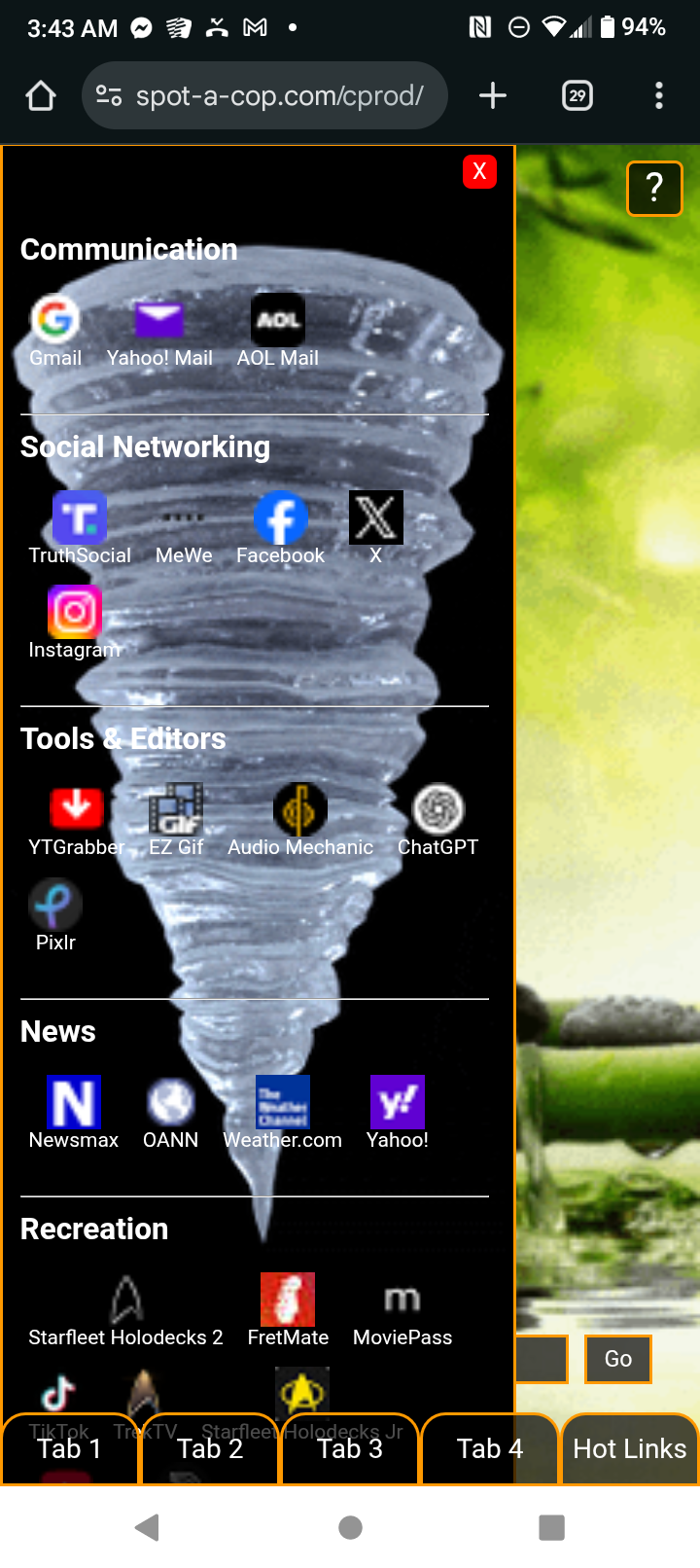
? The Ultimate Home Page Your Personalized Command Center for the Web Step into the future with The Ultimate Home Page — a fully interactive, multi-tabbed personal dashboard designed to elevate your browsing experience into something worthy of a starship console. ? Key Features: ?? Five Built-In Browser Tabs Instantly access multiple sites in a sleek multi-frame layout, each with its own slide-out drawer for quick tools and settings. ? Live Stock & News Tickers Stay informed with real-time market updates and breaking news scrolling elegantly across your screen. ? Integrated Music Player Play your favorite tracks directly within the interface — complete with playback controls and a futuristic audio bar. ?? Hot Links Drawer One-click access to your favorite sites with a customizable panel that slides out on demand. ? Browsing History Log Keep track of your web activity in a dynamic history box that records every page you visit through the dashboard. ? Animated Backgrounds Feel immersed in motion with gorgeous, continuously moving backgrounds that bring the interface to life — whether it’s a drifting starfield, flowing data stream, or abstract nebula effect. ?? Futuristic UI Design Themed in a retro-futuristic or LCARS-style interface, every element is crafted to make you feel like you’re operating from the bridge of a ship. Whether you're working, researching, or just browsing the web, The Ultimate Home Page turns the internet into your own personal command deck. Engineered for power users, sci-fi fans, and productivity lovers alike.
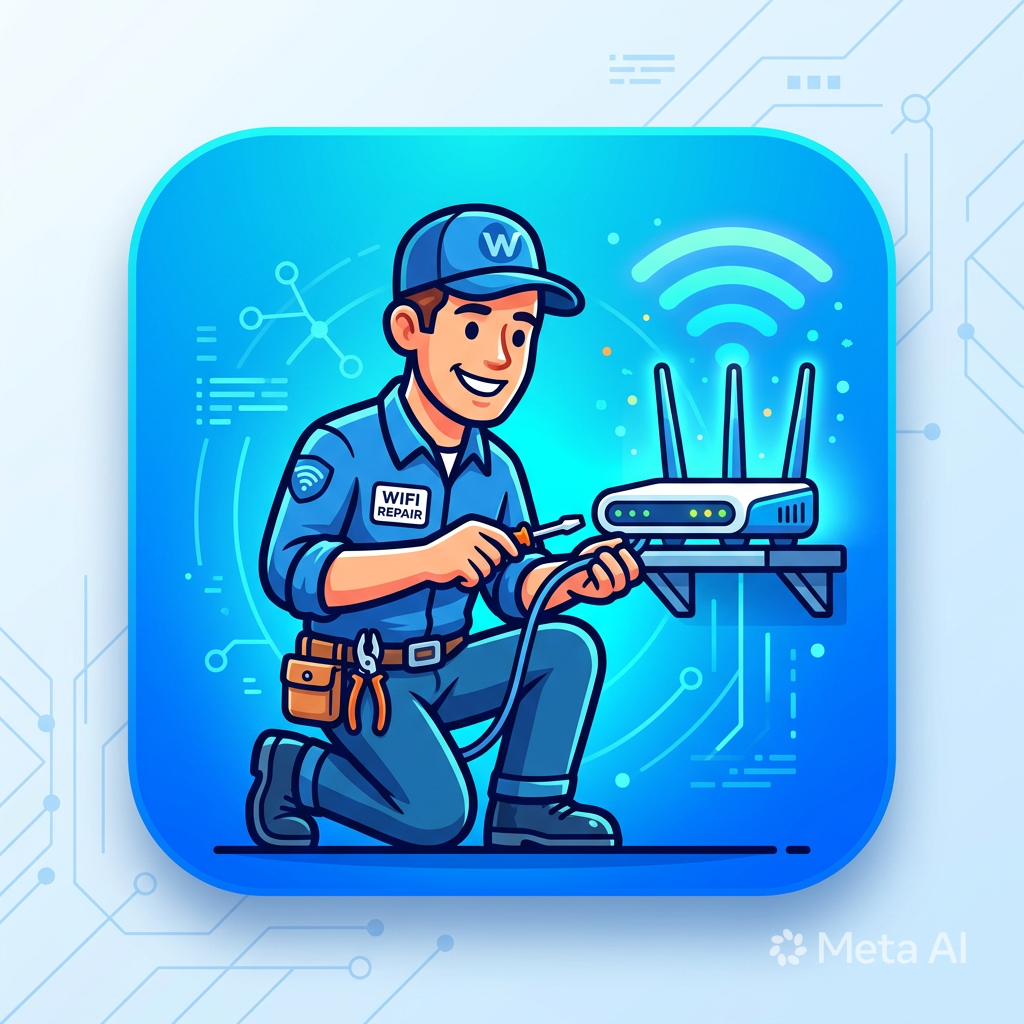
### **TiG - The Internet Guy** *Your connection’s best friend* #### **What is TiG?** TiG is a suite of browser-based internet diagnostic tools built for normal people, not network engineers. It takes scary tech concepts like ping, latency, Mbps, packet loss, and DNS and translates them into plain English with personality. Think of TiG as that tech-savvy friend who explains your WiFi problems without making you feel dumb. No jargon. No judgment. Just straight answers. Created by **ComStar Productions** and designed to run anywhere — web, Android via App Creator 24, or hosted on your own site. #### **Core Philosophy** 1. **Speak Human**: If your internet is slow, TiG won’t say “154ms latency with 12% jitter.†TiG says “Like mailing a letter across Virginia.†2. **Be Honest**: TiG doesn’t pretend to be 100% accurate. Browser tools have limits. But great measures are taken to give you the most reliable result possible with the tech available. 3. **Look Good**: Dark mode, neon glow, 3D buttons, voice overlay. Because utilities don’t have to be ugly. 4. **Respect Users**: Works on low-end devices. No data collection. No ads. Just help. #### **The TiG Toolkit** | Tool | What It Tests | How TiG Explains It | | --- | --- | --- | | **Ping Tester** | Connection speed to sites like Google, Yahoo, ComStarAppStore | "Blazing fast at 23ms! Like shouting to someone in the same room." | | **Speed Test** | Download speed with 3-test average for accuracy | "87.3 Mbps average. Super fast! Like a sports car on an open highway." | | **WiFi Signal Meter** | Connection stability, jitter, packet loss → Signal Score | "Strong signal at 82%. Like being in the same room as your router." | | **Coming Soon** | IP Info, DNS Checker, Website Status, Data Calculator | "Is Facebook down or is it my WiFi? tig knows." | #### **Key Features** 1. **Voice Overlay**: TiG literally talks to you. Toggle it on/off. Says “tig†not “T-I-G†so it sounds natural. 2. **3-Test Accuracy**: Speed and signal tests run 3 times and average the result. Because one test can lie. 3. **Relatable Results**: Every number gets a real-world comparison. 150ms isn’t “high latency†— it’s “like waiting for dial-up.†4. **Android Version**: Wrapped for App Creator 24 so you can use TiG offline. Some features like voice may vary by device. 5. **Online Version**: Full experience at `https://tinyurl.com/theinternetguy` with no browser limits. #### **Who Is TiG For?** - **Home users** wondering “why is Netflix buffering?†- **Gamers** checking if their ping is good enough for Fortnite - **Parents** figuring out if the router needs to move - **Small business owners** testing if their ISP is delivering promised speeds - **Anyone** who’s tired of speed tests that look like 1999 and talk like a robot #### **The Tech, Explained Simply** TiG runs 100% in your browser. No installs. No servers needed. It uses: - `fetch()` with timing to measure ping and download speed - `navigator.connection` to check network type - `speechSynthesis` for voice overlay - Canvas particles + CSS for the glowy 3D look Limitations: Browsers can’t see your real WiFi bars or do true traceroutes. TiG works around that by testing what actually matters — the end result you feel. #### **Branding** - **Name**: TiG = The Internet Guy. Always lowercase “tig†in speech so it’s pronounced right. - **Logo**: Internet repair tech working on a router. Blue/cyan neon. App icon at `https://www.appcreator24.com/srv/imgs/gen/4019564_ico.png` - **Voice**: Friendly, slightly snarky, never condescending. Like a helpful neighbor. - **Colors**: `#020617` background, `#38bdf8` neon cyan, `#1e293b` cards. Orbitron font for logo, Inter for body. #### **The Fine Print** You are using the Android version of tig. Some features such as voice overlay may not function on all devices. All results are not pinpoint accurate however great measures have been taken to ensure the most reliable and accurate result possible. For the full experience, try **tig Online**: https://tinyurl.com/theinternetguy
Star Trek Themed Internet Web Browser Created by ComStar Productions Author: Jason C. Kubin Release: 2024.1.1

TriBBS is a DOS based Bulletin Board System that shows you to operate an entire online presence over your telephone or terminal. Supports DOOR programs, ANSI/ASCII/Ripterm graphics.
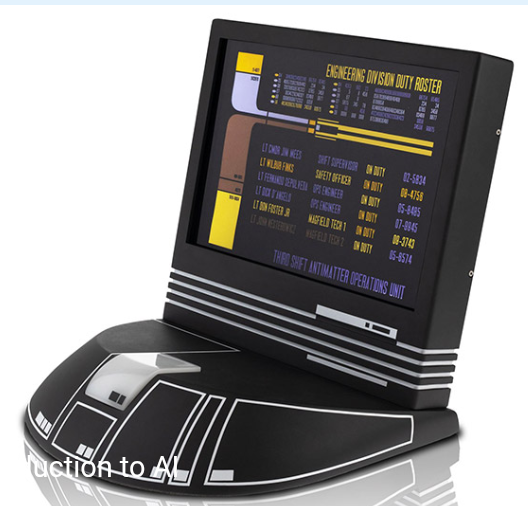
V'ger - AI is powered by ChatGPT. To use this AI you must create an account which is free and fast. Once you have logged in, you simply ask it questions, just like on your ship's computers. You can carry on a conversation, have it perform tasks, etc. Things To Try With V'ger, you can interact with it and have it perform tasks. Try these tasks on for size. 1. Create a Star Trek Game and Respond as the Computer. This will have V'ger create a text based game. 2. Write Code. You can have V'ger write example code for your Expanse Webapps. 3. Tell me about ... V'ger can give you info on various topics just by asking.

A homepage and browser replacement with a Doctor Who theme

Who View Web Browser Who View is an immersive and nostalgic web browser experience designed for fans of Doctor Who and lovers of classic sci-fi. Combining elements of the iconic British TV series with modern web browsing features, Who View offers a unique, themed browsing environment that captures the essence of time travel and adventure. Key Features: Doctor Who Theme: Background: Dive into the world of Doctor Who with a stunning, full-screen background image of the vortex, bringing the time-traveling essence of the TARDIS to your browsing experience. Animations: Enjoy whimsical animations featuring Doctor Who characters and iconic elements like Cybermen, Daleks, and K9, which add a dynamic touch to your browsing. Customizable Interface: Address Bar: Easily navigate to any URL with a custom address bar, styled to fit the Who View theme. Search Functionality: Quickly perform Google searches with a dedicated search form integrated into the interface. Interactive Features: Music Control: Play or pause the Doctor Who theme music with a single button, enhancing your immersive experience. Dynamic Elements: Watch as interactive elements such as Doctor Who-themed ships animate across the screen, adding a touch of fun and unpredictability to your browsing. Social Integration: Social Icons: Access popular social media platforms via stylish icons located at the bottom of the screen. The icons are designed to blend seamlessly with the Doctor Who aesthetic. Customizable Appearance: Favicon: The browser features a custom favicon to reinforce the Doctor Who theme in your tab and bookmarks. User-Friendly Design: Responsive Layout: The interface adjusts to fit various screen sizes and devices, ensuring an optimal viewing experience on desktops, laptops, and tablets. Clear and Intuitive Navigation: Designed to be user-friendly with easy-to-read fonts and interactive elements that respond to your actions. Why Choose Who View? Who View is more than just a web browser—it's a portal to a fantastical world where fans of Doctor Who can indulge in their passion while navigating the web. Whether you're searching for the latest Doctor Who episodes, exploring fan sites, or just enjoying some nostalgic music, Who View transforms your everyday browsing into an extraordinary adventure.

Full version Windows 11 64 bit for ARM processors like in cellphones and tablets